
Send and manage messages
Find the right thread and understand who can read it.
Checked against Meadow on 2026-10-26
Open Messages to read or send a message. A thread is one ongoing exchange; check its participants before sending personal information.
Send a message
Choose New message. Who you can write to depends on your role:
- Owners and managers select the people they want to message. Only owners and managers can start a private thread.
- Other staff select a child from their allocated room or a room they have starred, one child at a time. The message goes to that child’s room thread, which the child’s family, the room’s staff and managers can read. A child whose parents are not on Meadow yet is listed but cannot be selected.
- Parents contact the Office or an available child’s room from their message options.
Anyone can reply in a thread they can read, unless it is closed. Staff a manager adds to a private thread can reply in it.
Write the message, add photos or PDF/Word .docx documents if needed, then send. Messages do not support video attachments. Keep formatting simple: messages and comments are plain text.
Find the thread
Staff have three views:
- Private: threads in which you are a named participant.
- My rooms: threads for your allocated room and rooms you have starred.
- Other rooms: additional room threads available to owners and managers.
Use name search and the date, room or family filters to narrow the list. If a view is empty, clear its filters and check the other tabs.
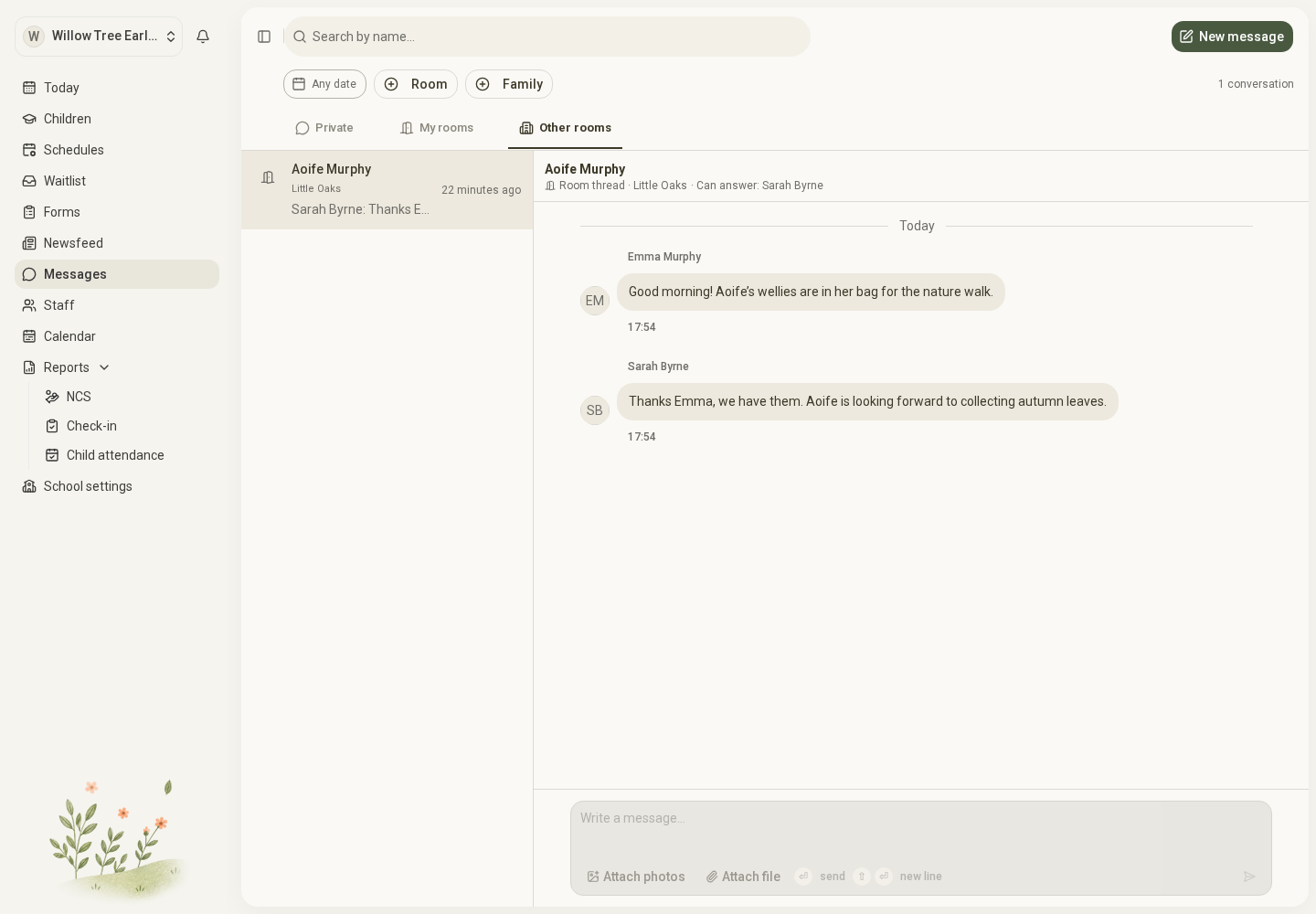
Open the full-size screenshot. Use your browser’s Back button to return to this guide.
Who can read a room thread
A room thread is shared with the child’s family and staff who have access to that room’s messages. A colleague who becomes allocated to the room can see its earlier messages. Owners and managers can read room threads through their wider room access.
Private threads remain limited to their participants. Being a manager does not open every private thread.
Closed threads
A closed thread stays readable to everyone who could read it, but takes no new messages. A notice replaces the message box.
- A room thread closes when the child moves to another room. Its notice says so, and a parent can message the child’s new room from it.
- A private thread closes when no owner or manager is left in it, for example when the only manager in it leaves the setting. Its notice says This conversation is closed. with a New message link. Closing it does not open it to anyone else.
You can still edit or remove your own messages in a closed thread.
Edit or remove a message
Use your message’s actions to edit its words. Readers see an Edited marker; they are not notified again. Attachments are not edited through the wording action.
You can remove your own message. A manager can remove a message in a thread they can read. It keeps its place as a removed message; readers no longer see the content. Removal is not the same as deleting the whole thread.
For notifications, see Manage notifications.