
Checking children in and out
Record arrivals, departures and room moves through the day.
Checking children in and out is the heartbeat of the day in Meadow. Each arrival, departure and room move is recorded the moment it happens, so your live counts always show exactly who's in each room.
This page covers the everyday actions: signing a child in, signing them out, and moving them between rooms. To record a planned absence, see Recording absences. To fix a wrong time or a missed sign-out, see Correcting attendance.
Where you do it
You can check children in and out from three places:
- A room's page — open a room from Today to see its roster.
- The Children list.
- A child's profile — on the Activity tab.
Note: Today and the room rosters are staff-only. Parents and family check their own children in and out from the Children list or a child's profile.
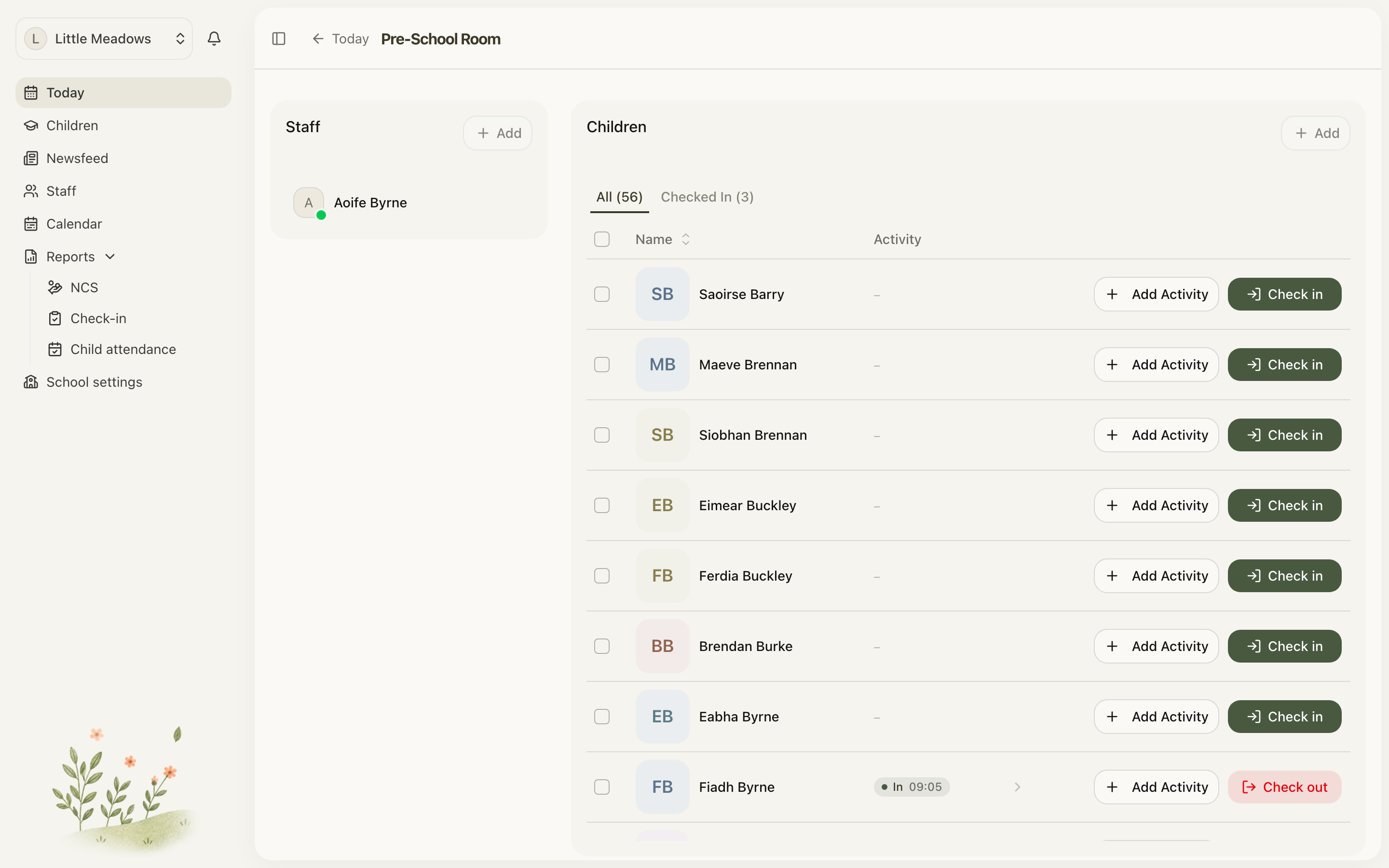
Checking a child in
- Find the child on a room's roster, the Children list, or their profile Activity tab.
- Click Check in.
- In the Check In dialog, confirm the Room. It defaults to the current room (on a room's page) or the child's home room (on their profile) — change it with the Room select if needed.
- Click Check in to confirm.
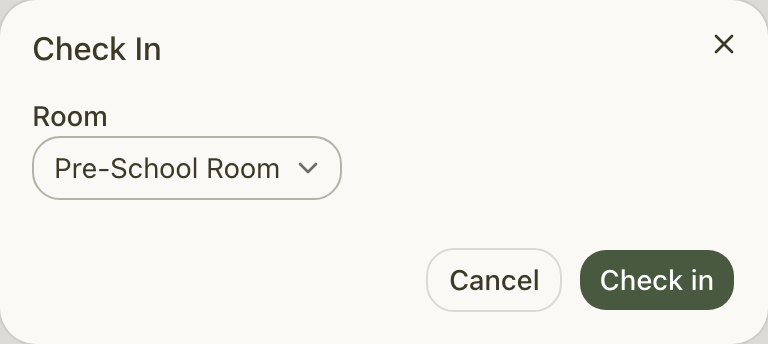
You'll see a Child checked in toast, and the child shows a green In {room} pill. From the Children list or a child's profile, the check-in time is stamped automatically — you can't set it there. On a room's page, staff who open a child's day from the roster get a Time control in the dialog: drag it back to record a check-in that happened up to three hours ago, or leave it at now. Anything older, or a time that's already wrong, you can correct afterwards.
Checking a child out
On a child who's currently checked in, click Check out. From the Children list or a child's profile there's no dialog — a single click records the check-out, and you'll see a Child checked out toast, with the time stamped automatically. From a child's day on a room's page, staff get the same Time control as on check-in, so a child collected twenty minutes ago can be checked out at the time they left.
Moving a child between rooms
If a child moves rooms during the day, record a room move so they're counted in the right place.
- On a checked-in child's Quick actions card, click Move room.
- Pick the destination room from the dropdown.
You'll see a Child moved to room toast. Their original check-in time is kept, so their total time present stays accurate.
Note: Moving rooms is a staff action. Move room only appears for staff, and only when the child is checked in and there's another room to move them to.
Checking several children at once
On a room's page you can act on a group of children together — handy at drop-off and collection.
- Tick the checkbox on each row you want (or use Select all).
- A floating {count} selected · Actions bar appears. Click Actions.
- Under Attendance, choose Check in, Check out or Move room. For a move, pick the destination room.
Each action applies only to the children it can apply to. If you tick five children but three are already in, Check in signs in the other two and the toast tells you what happened — for example Checked in 2 · 3 already in.
Tip: You can act on up to 25 children at a time. If your selection would be larger, Select all is disabled with the hint Select up to 25 at a time — just work in batches.
Bulk actions, like room moves, are staff-only.
Common questions
Can I set the check-in or check-out time myself? No. Meadow stamps the current time automatically when you check a child in or out. If a time is wrong, or a child was never signed out, staff can put it right in Reports → Child attendance. See Correcting attendance.
How many children can I check in or out at once? Up to 25 at a time on a room's page. If your selection or the visible list is larger, Select all is disabled and you'll see Select up to 25 at a time — select in batches.
Why is Move room missing for some children, or for some people? Move room only shows for staff (Owners, Managers, Senior Practitioners and Practitioners), and only when the child is currently checked in and there's another room to move to. Parents and family can check their own children in and out but can't move rooms or use the bulk actions. If a child is already in the room you're moving them to, you'll see This child is already in that room.
I checked out the wrong time, or forgot to sign a child out yesterday. Can I fix it? Yes. Staff can correct attendance in Reports → Child attendance. Click the child's day cell, then Edit times to change the sign-in or sign-out, or Sign in to record a missed day. See Correcting attendance for the full walkthrough.