
Room ages, capacity and size
Record the ages a room takes, how many children it holds, the staff ratio and its floor space.
When you add or edit a room, you can record the ages it takes, how many children it holds, the staff ratio you work to and its floor space. All four are optional, and Meadow shows whatever you fill in beside the room in the Classrooms table.
If you haven't set your rooms up yet, start with Managing rooms.
Recording a room's details
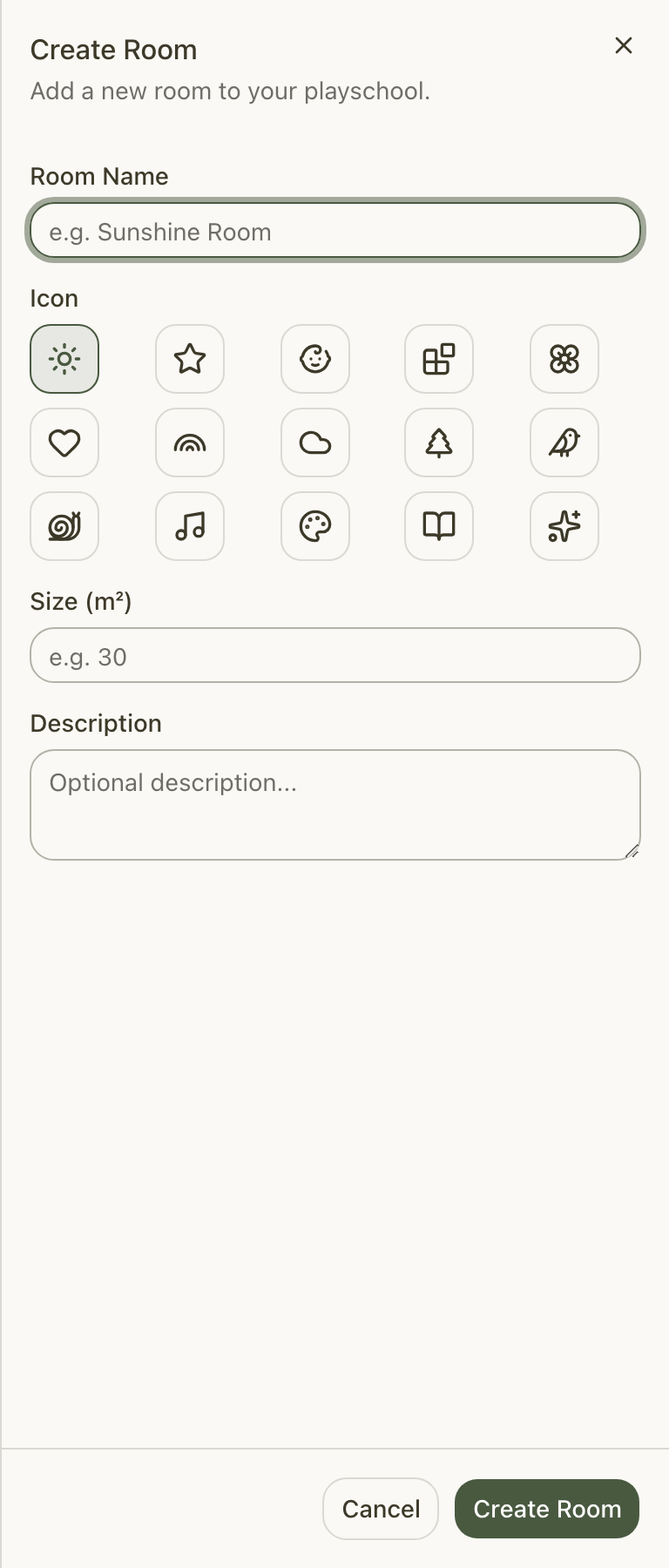
- Go to School settings, then Classrooms.
- Click Add Room to create a new room, or click the pencil icon at the end of a room's row to edit an existing one.
- Fill in any of:
- Age from and Age to — the ages the room takes, in months. For example 24 to 36. Leave Age to blank for an open-ended room, or leave both blank for a mixed-age room.
- Capacity — how many children the room takes.
- Staff ratio — the number of children per member of staff. For 1 : 8, enter 8.
- Size — the usable floor space, in square metres.
- Click Create Room (or Update Room).
Note: Ages, capacity and ratio are whole numbers. Size can have decimals — for example, 23.2. If you enter an Age to you also need an Age from, and Age to can't be younger than Age from.
Capacity is the number you enter
Meadow doesn't calculate capacity for you. Enter the number of children the room is registered or planned for, and that's the figure Meadow uses.
On the Schedules page, each day shows the children expected in each room against the room's capacity, and highlights a room that's over. A room with no capacity just shows the number expected.
Tip: Irish early years regulations set a minimum floor space per child that depends on the child's age, so a baby room holds fewer children than a preschool room of the same size. Work your capacity out from the figure that applies to the room's age group.
The staff ratio
The ratio is also the number you type — Meadow doesn't work it out from the regulations. Record the ratio you work to for the ages in the room, and it shows beside the room in the table.
Common questions
Are these fields required? No. They're all optional on both the Add Room and Edit Room sheets.
I entered a room size but it won't save. Size must be a positive number — decimals are allowed, such as 30 or 23.2. A zero or negative value triggers the message Size must be a positive number. If you don't want to record a size, just leave the field empty.
Does Meadow work out capacity from the room's size? No. Capacity is the number you enter. Size is there for your own reference.
Where do I record these? On the Add Room or Edit Room sheet, under School settings then Classrooms. See Managing rooms for the full walkthrough of adding, editing and archiving rooms — including who can make these changes.