
Session types
Define the bookable session windows you offer, such as Full Day or Morning.
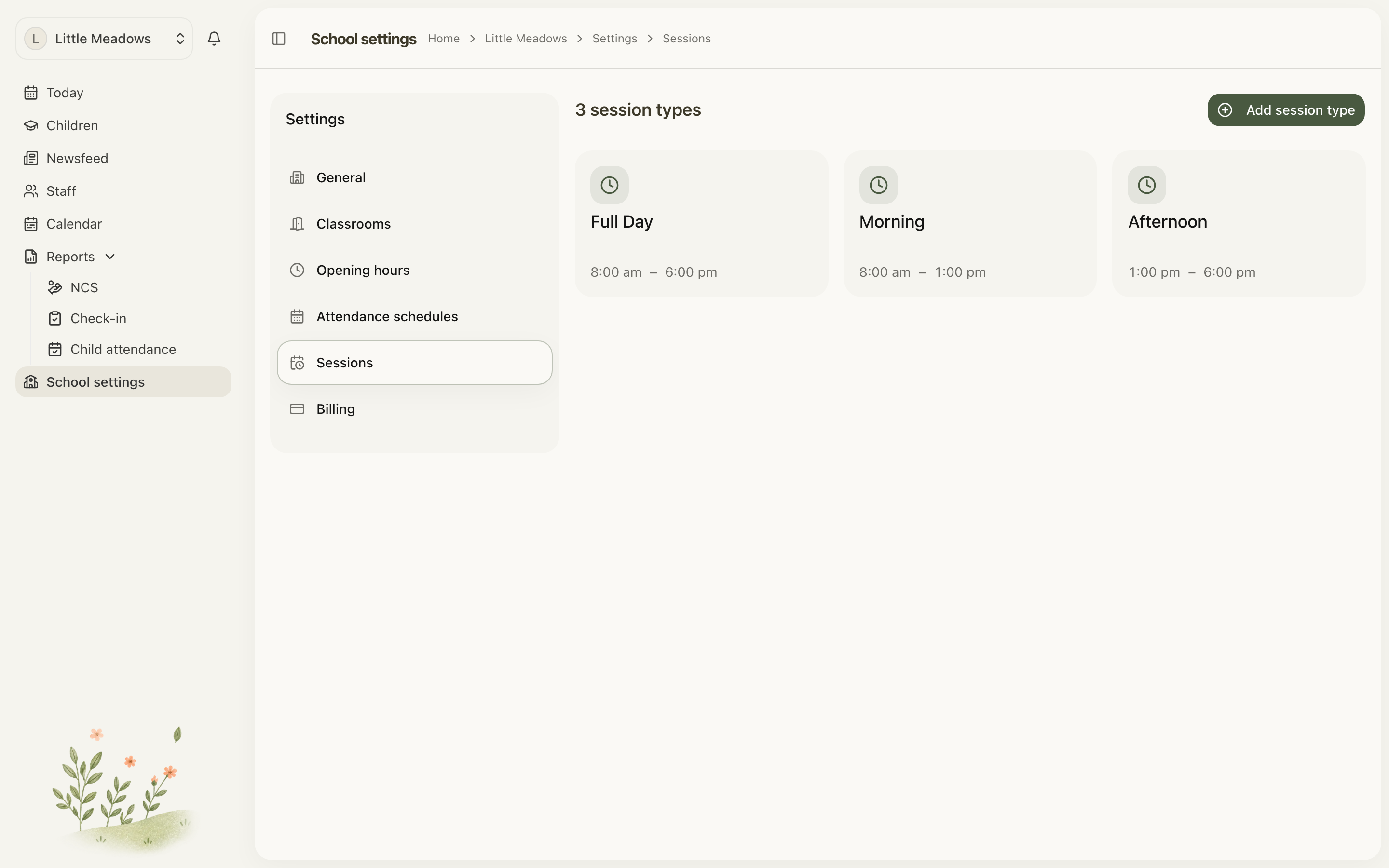
Session types are the bookable windows your service offers — for example Full Day, Morning or Afternoon. You set them up once, then use them to build each child's weekly booking plans.
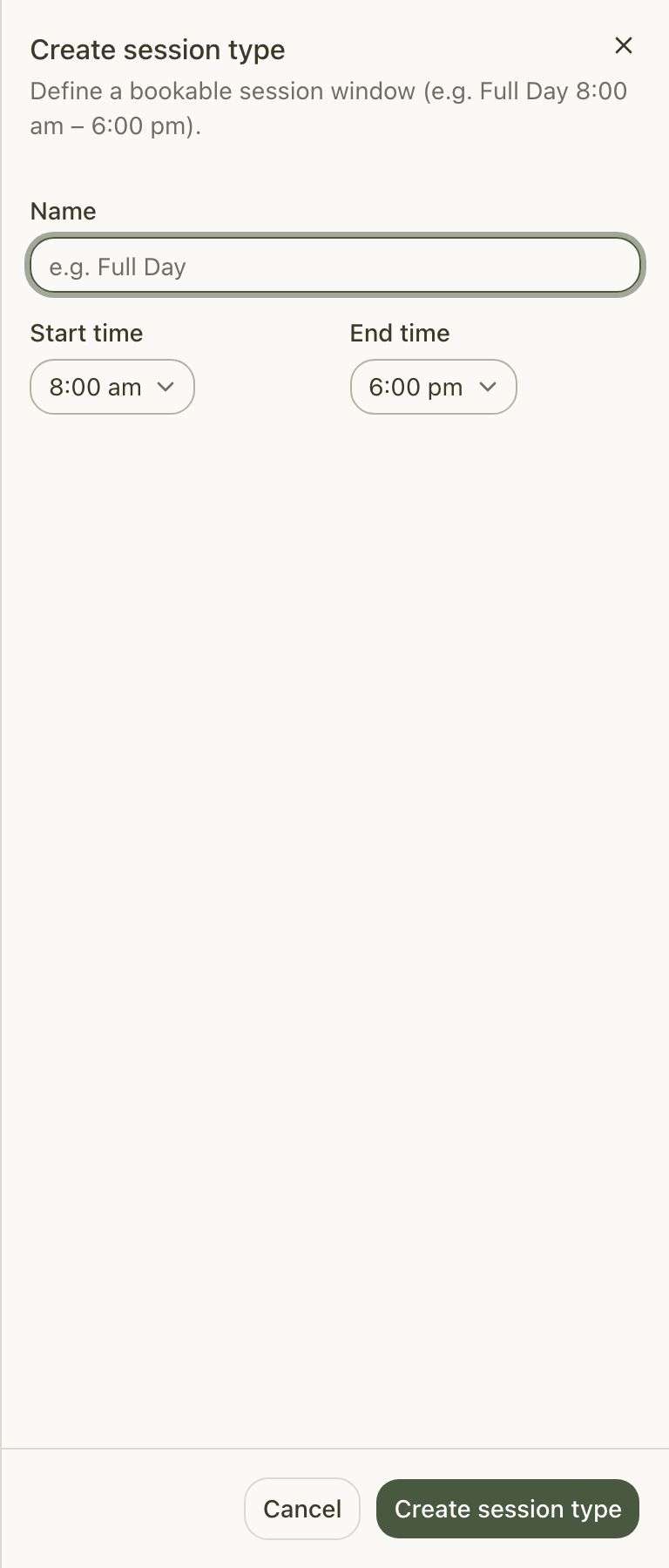
A session type is simple: it has a name and a start and end time, nothing more. It's just a window of the day you can book a child into.
Where to find them
Go to School settings → Sessions. Owners and Managers can add and edit session types; everyone else sees them read-only.
Creating a session type
- Go to School settings → Sessions.
- Choose Add session type.
- Fill in the details:
- Name — for example, "Full Day". This must be unique among your active session types.
- Start time and End time — picked from the half-hour dropdowns, which run from 6:00 am to 8:00 pm. The end must be after the start.
- Choose Create session type.
You'll see a Session type created confirmation, and the new card appears in the grid, ordered by start time.
Note: There's no "ECCE session" or any other funding option here. A session type only ever carries a name and a start/end time. Funding is worked out separately — see Is there an ECCE session type? below.
Editing a session type
You can change a session type's name or hours at any time.
- On the Sessions tab, hover over the card you want to change.
- Click the pencil icon.
- Update the Name, Start time or End time.
- Choose Update session type.
Archiving a session type
When you no longer offer a session, archive it rather than deleting it. Archiving is a safe, soft action: the session type is no longer offered for new bookings, but any children whose plans already use it keep it, and it still counts toward their hours.
- On the Sessions tab, hover over the card and click the trash icon.
- The Archive session type dialog opens. If the session type is in use, it tells you how many plans rely on it — for example, Currently used by 4 children's plans.
- Confirm to archive.
Restoring an archived session type
Archived session types are kept under the Archived heading, lower down the Sessions tab. To bring one back, find it there and choose Restore.
Tip: If another active session type has since taken the same name, you'll need to rename that one first — you'll see "An active session type with this name already exists. Rename it before restoring this one."
Common questions
Is there an ECCE session type?
No. This is the most common mix-up. Session types carry only a name and times — there's no ECCE tickbox or ECCE session. Meadow works ECCE out from the child's ECCE registration and the programme year's dates, not from the session type. See ECCE funding for how that's set up.
A child's ECCE funding isn't showing — did I forget to use an ECCE session?
There's no ECCE session to use. A child is ECCE-funded when two things are true: they have an ECCE registration for a programme year, and their plan's dates fall inside that year's weeks. If the dates fall outside, Meadow tells you on the plan. Full details are in ECCE funding.
I archived a session type by mistake — is the data lost?
No. Archiving never deletes anything. Children whose plans already use the session type keep it, and it still counts toward their hours. Just Restore it from the Archived list.
Why won't my new session type save?
Two rules catch most problems. The end time must be after the start time, and the name must be unique among your active session types — if it isn't, you'll see "A session type with this name already exists." Rename it and try again.
Next steps
Once your session types are in place, you're ready to build children's booking plans.